
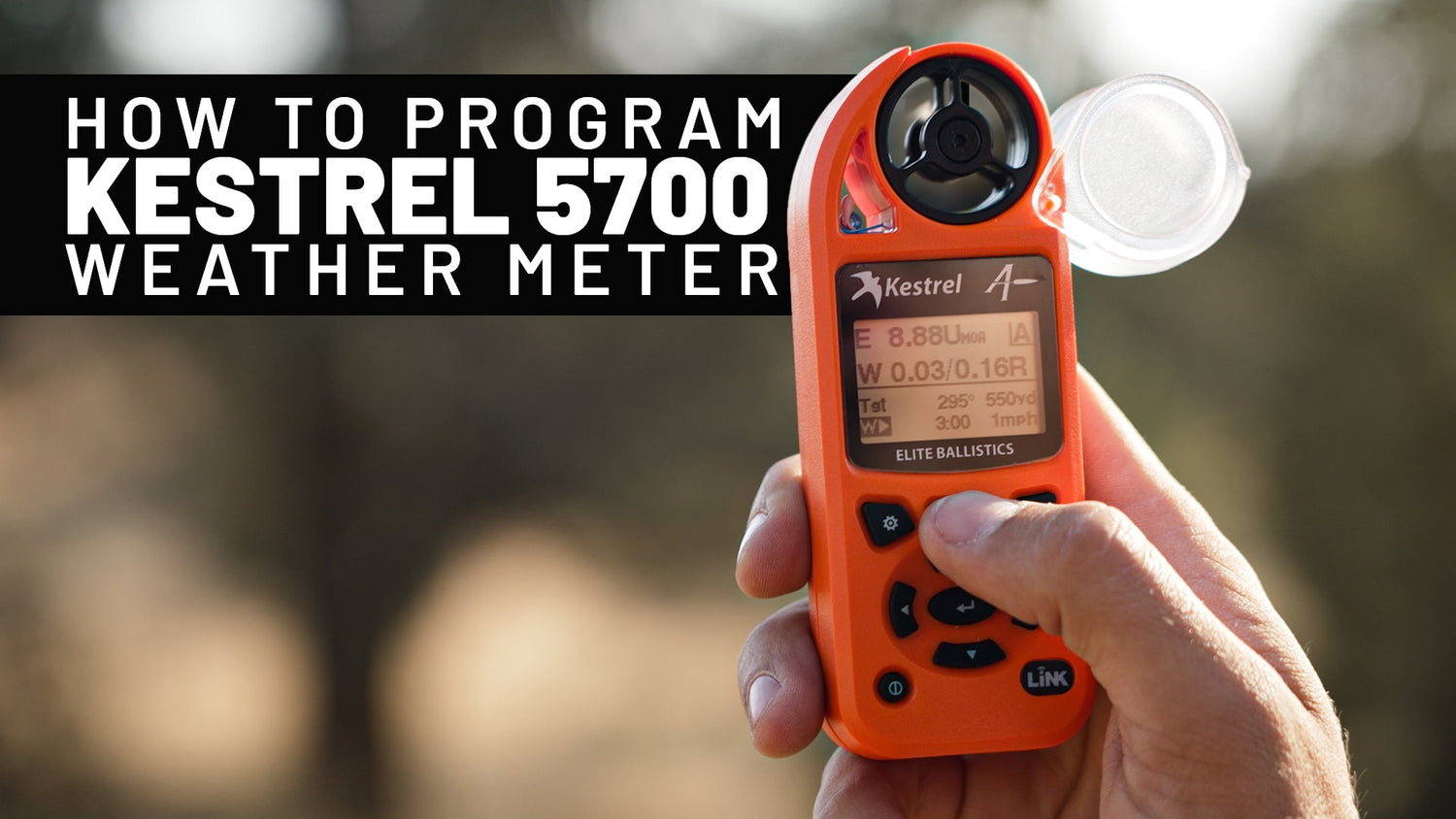
If you shoot past 600 yards, you already know that wind and atmospherics are the variables that turn a great rifle into a missed shot. The Kestrel 5700 Elite Weather Meter with Applied Ballistics is the tool most serious long-range hunters and competitors use to put real numbers on those variables — but only if it’s set up correctly. A Kestrel running the wrong profile, the wrong drag model, or a sloppy zero will lie to you with confidence.
In the video below we walk through the 5700 Elite from the ground up: what it does, how to build a gun profile, how to enter your bullet data, and how to take a real environmental reading and run a firing solution. If you’ve just unboxed yours — or you’ve owned one for a year and never trusted the numbers — this is the setup guide we wish we’d had.
What the Kestrel 5700 Elite Actually Does
The 5700 Elite is two devices in one shell. First, it’s a precision handheld weather station — it measures wind speed, wind direction, temperature, station pressure, density altitude, humidity, and a half-dozen other variables that affect a bullet in flight. Second, it’s a ballistic computer running the Applied Ballistics solver, the same engine used by military and competitive shooters worldwide to calculate elevation and wind holds.
Where the 5700 Elite separates itself from the cheaper models in the Kestrel lineup is the AB integration: custom drag models for hundreds of factory bullets, target-card storage, and Bluetooth LiNK connectivity to a phone or rangefinder. None of that matters, though, if your gun profile is wrong. So that’s where we start.
Before You Start: What You’ll Need
- Your Kestrel 5700 Elite (with a fresh AA battery installed)
- Your rifle’s actual data: barrel twist rate, sight height over bore, and bullet specs
- A confirmed zero at a known distance (we’ll talk about why this matters)
- Optional but recommended: the free Kestrel LiNK Ballistics app on your phone to make data entry faster and to back up your profiles
Before you touch a button, write down the bullet you’re shooting, its muzzle velocity (chronographed if at all possible), your barrel twist rate, and your scope’s height above bore. Trying to enter this data while menu-diving on the unit is how mistakes happen.
Step-by-Step: Programming Your Kestrel 5700 Elite
1. Power up and orient yourself
Press the center button to wake the unit. The main screen shows your live environmentals on the left and the Applied Ballistics targeting card on the right. Use the up/down arrows to scroll between screens, and the center button to enter and confirm. Get comfortable with this navigation pattern — the rest of setup is just menu trees layered on top of it.
2. Build your gun profile
Scroll to the Targeting screen, then enter the menu and select Gun. You can store multiple guns — create a new one and name it something you’ll recognize at 2 a.m. on a dark hunt (e.g., “7 PRC Hunter,” not “Gun 1”). The fields you absolutely have to get right:
- Bore Height — measure from the center of the bore to the center of the scope tube. Most setups land between 1.5” and 2.0”. Guess wrong and your near-distance dope will be off.
- Zero Range — the actual distance you confirmed your zero, not where you wanted to zero. If you zeroed at 102 yards, enter 102.
- Twist Rate — pulled from your barrel spec sheet (e.g., 1:8, 1:9). This drives the spin drift calculation.
- Twist Direction — almost all American barrels are right-hand twist, but verify before you assume.
- Elevation / Wind Click Values — match your scope (0.1 MIL or 0.25 MOA, etc.).
3. Enter your bullet (the part most people get wrong)
The 5700 Elite ships with the Applied Ballistics bullet library, which is the magic behind it. Select Bullet in the gun profile, then choose Library rather than entering a generic G1/G7 BC. Find your exact bullet by manufacturer and weight — the AB library uses custom drag curves measured in a Doppler tunnel, which are far more accurate than published BCs past the transonic range.
If your bullet isn’t in the library, you’ll need to enter the manufacturer’s G7 BC (preferred for boat-tail bullets) along with the weight, diameter, and length. G7 is almost always more accurate than G1 for modern long-range bullets.
Last, enter your muzzle velocity. If you don’t own a chronograph, beg, borrow, or rent one before you trust this number. A 50 fps error in muzzle velocity becomes roughly 1.5 MOA at 1,000 yards — that’s the difference between vitals and a wounded animal.
4. Set your zero environmental conditions
This is the step almost everyone skips. The Kestrel needs to know the conditions under which you confirmed your zero so it can correct for current conditions later. After you confirm a zero at the range, capture the environmentals on the Kestrel right then — pressure, temperature, humidity — and store them as your zero atmosphere in the gun profile. Skip this and your solver is solving against a default sea-level day, which is rarely where you actually shoot.
5. Pair to LiNK (optional but recommended)
Hold the center button to enter the main menu, scroll to Bluetooth, and turn it on. Open the Kestrel LiNK Ballistics app on your phone, find your unit, and pair. Once paired you can enter gun profiles by typing on a keyboard instead of arrow-keying through the unit, back up your profiles to the cloud, and (if you own a compatible rangefinder or weapon-mounted display) push solutions wirelessly to your scope or watch.
6. Capture environmentals and run a real solution
Walk outside with the unit. Hold it at eye level, facing into the wind, and press the impeller into the breeze for 10–15 seconds to let the readings stabilize. On the targeting screen, enter your target distance, direction-of-fire (relative to wind), and incline angle. Hit calculate and the Kestrel returns your elevation and windage holds.
That’s the workflow you’ll repeat for every shot in the field.
The Common Setup Mistakes That Will Burn You
- Untruthful muzzle velocity. Box-stamped velocities are marketing numbers. Chronograph your actual load.
- Wrong sight height. A quarter-inch error here distorts your near-range solutions noticeably.
- Stale zero atmosphere. If you zeroed in July at 800 ft elevation and you’re hunting in November at 8,000 ft, the unit needs both data points to do its job. Don’t let the zero atmosphere stay blank.
- Generic G1 BC instead of the AB library. If you bought the 5700 Elite, use the Elite feature. Pull from the library.
- Not field-verifying. The Kestrel gives you a solution. Truing your data at distance closes the loop.
Truing Your Solution at Distance
Once your profile is built, head to a range with steel out to 800–1,000 yards. Shoot the solution the Kestrel hands you. If your impacts are consistently high or low, the answer is almost always muzzle velocity — nudge it 10–20 fps at a time and re-shoot until your dialed elevation matches your impact. This process, called truing, is what turns a Kestrel from a calculator into a hunting tool you can bet on.
Many shooters also use the AB Drop Scale Factor or Muzzle Velocity Calibration features to true off real impacts at known ranges. Both work; the principle is the same: trust your impacts more than your inputs.
Where to Get Yours
The Kestrel 5700 Elite is the unit we run on every long-range hunt and every episode of Extreme Outer Limits. We carry it (along with the rest of our preferred long-range hunting gear) at Extremestore.us — that’s our companion store for optics, ballistic gear, bullets, and the accessories that don’t live on the rifle itself.
If you have setup questions specific to your rifle build, drop a comment on the Extreme Outer Limits YouTube channel — we read every one, and they often turn into the next video.
Shoot straight. Verify your data. The bullet doesn’t care what your app says — it cares what’s real.


Leave a comment
This site is protected by hCaptcha and the hCaptcha Privacy Policy and Terms of Service apply.